Click Below, to Download App for Better Performance and More Free Services
Download app for windows 10.0 and above, x64

If you have any issue with the app installation, or with the already installed app, please uninstall old versions and install latest version, by clicking above link


Click any style button below and select an image edit tool. free Styles are in green, and paid-for styles are in red.


Super RGB Editor to change colors without compromise


change colors by RGB editor

Super RGB Editor to adjust colors , without compromising picture beauty


Click any edit style below, to adjust HSL/RGB of colors, or for image transformations.
To adjust RGB, select Red/Green/Blue change functions, or color replace options. Increasing Saturation or contrast may increase red/green/blue levels. However, when reducing or increasing colors/saturation, to maintain color depth/balance , adjust black-white, light-darkness settings on controls of this HSL Editor page.


Increase Red/Green/Blue (RGB primary colors)


RGB editor: Increase Red/Green/Blue

RGB Editor to Reduce Red/Green/Blue primary colors


RGB editor: reduce Red/Green/Blue primary colors


width
0
height
0
your image

RGB Color Change

Increase
Decrease

Intensity Adjustment
(High -- Low)
Saturation (Low -- High)
Contrast
Darkness
Intensity
Smoothen
Black/White
Darkness
intensity


Result To Source

Download

Reset To Default

width
0
height
0
file size
0 mb
result


Alter Saturation, Light, black & white

Adjust Saturation, Light, Darkness, black/white retaining some hue
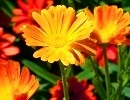
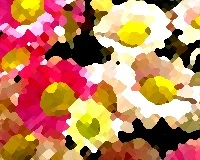
Image color edit : High Saturation
High Saturation
Image color edit : Contrast, Light, Dark
Contrast, Light, Dark
Image color edit : Low Saturation
Low Saturation
Image color edit : Saturation ( Low ), Light, Dark Changed
Low Saturation, Light and Dark

Super RGB Editor for gray scale

Image color edit for low cost print : Dark gray shades
Dark Gray Shades
Image color edit for low cost print : Light Gray Scale
Light Gray Scale
Image color edit for low cost print : Gray Shades, High Contrast
More Shades, High Contrast
Image color edit for low cost print : Hight Contrast , Black, White, Gray, Edit for Low Cost Print
More Black and White

Replace Colors

Image color edit : Hue change, Color Replace by Red
Replace by Red
Image color edit : Hue change, Color Replace by Green
Replace by Green
Image color edit : Hue change, Color Replace by Blue
Replace by Blue
Image color edit : Hue change, Color Replace by Orange
Replace by Orange

Image color edit : Hue change, Color Replace by Purple
Replace by Purple
Image color edit : Hue change, Color Replace by Lime
Replace by Lime
Image color edit : Hue change, Color Replace by Azure
Replace by Azure
Image color edit : Hue change, Color Replace by Pink
Replace by Pink

Image color edit : Hue Shift, Pink Prominent
Shift-1
Image color edit : Hue Shift, Lime Prominent
Shift-3
Image color edit : Hue Shift, Azure Prominent
Shift-4
Image color edit : Hue Shift, Purple Prominent
Shift-5

Increase or Reduce Red,Green,Blue (RGB primary colors) of pixels

Increase R/G/B colors

Image color edit : r increase
Red
Image color edit : g increase
Green
Image color edit : b increase
Blue
Image color edit : Green Increase to Maximum
Green Maximum

Decrease R/G/B colors

Image color edit : r color decrease
Red
Image color edit : g color decrease
Green
Image color edit : b color reduce
Blue
Image color edit : Maximum Red Remove
Remove R
Image color edit - 29
Adjust Color Contrast
Image color edit - 30
Adjust Color Saturation
Image color edit - 31
Adjust Red,Green,Blue
Image color edit - 32
Adjust Black & White


Alter Saturation, Light, black & white

Adjust Saturation, Light, Darkness, black/white retaining some hue
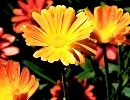

Clear Sharp Image

Clear or Smooth Image

cartoon

painting

Super RGB Editor for gray scale
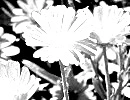

reduce size

crop

enlarge