Easy, Invoicing App For Any Small Business
Download App for Windows 10.0 and above, x64
If you have any issue with the app installation, or with the already installed app, please uninstall old versions and install latest version, by clicking above link
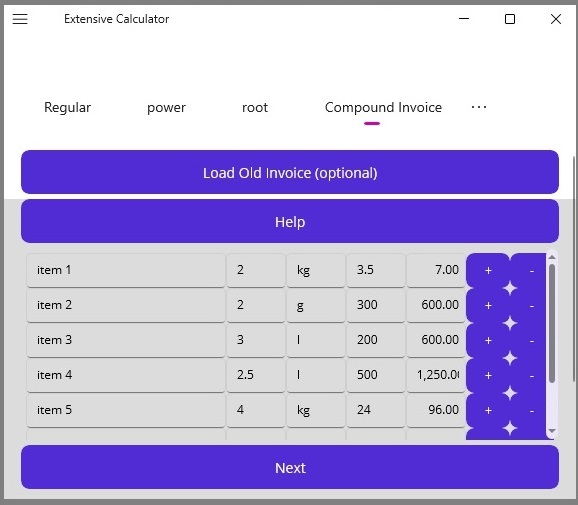
Easily Create, Store, Retrieve, Edit, Send, and Print Invoices
You can easily generate invoices with automatic and accurate calculations. Easily generate, store, retrieve, update, share, customer invoices, and view in any device as an html web page. Simple, easy and quick with no tedious learning, as you can simply follow the UI and generate an invoice in seconds, even as a first time user.
Calculate Invoice Value,"Price * Quantity (QTY)", Total, Automatically
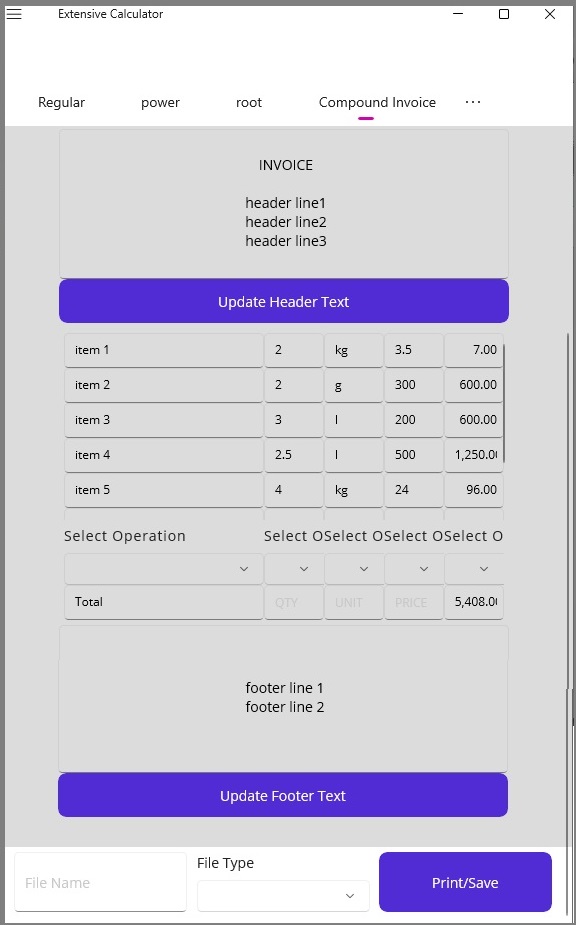 When you create an invoice, and enter data, the values are calculated automatically, for 'price * quantity'. When you enter data into row cells, the invoice value for an item is calculated by multiplying the unit price by the purchased quantity. Subsequenatly, when you press the next button, the sub values are summed, and the total is provided by the system, instantly, automatically.
- Core Concepts
- Unit Price: The cost charged for a single unit of a product or service.
- Quantity: The total number of units bought or provided.
- Invoice Value (Subtotal): The total cost before adding taxes, shipping fees, or applying discounts.
Main Invoice Functions possible with this app
- Save invoice in html format, as a web page, and view or print at any time.
- Retrieve saved invoice from html file, and update or edit and save it as a new file.
- Store invoice file in html format, with automatically generated date, and share to any device in popular, platform independent, single html file.
Sort Invoice Details By Description, Price, Quantity or Value
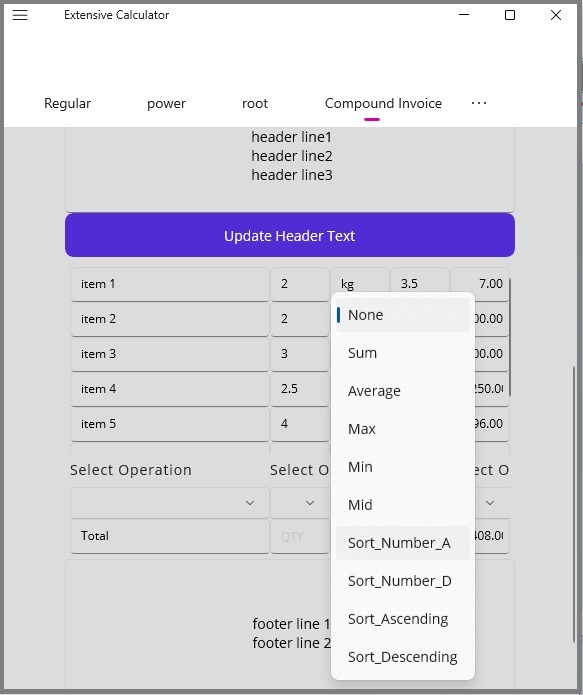 You can sort any invoice data column, with all details of row intact, in ascending or descending order. This can help in providing sales details in a more informative format.
- Key Benefits
- Improves Clarity: Grouping similar items, services, or dates helps clients understand what they are paying for without confusion.
- Saves Time: Arranging line items alphabetically or chronologically lets you find specific charges or match records faster.
- Reduces Errors: Cleanly sorted rows make it easier to spot duplicate charges, missing quantities, or calculation mistakes during data entry.
- Simplifies Auditing: Structured and sorted financial records streamline reviews by accountants and make tax season much easier.
Create, Save, Store, Update, Share, Print, Invoices in HTML Web Pages
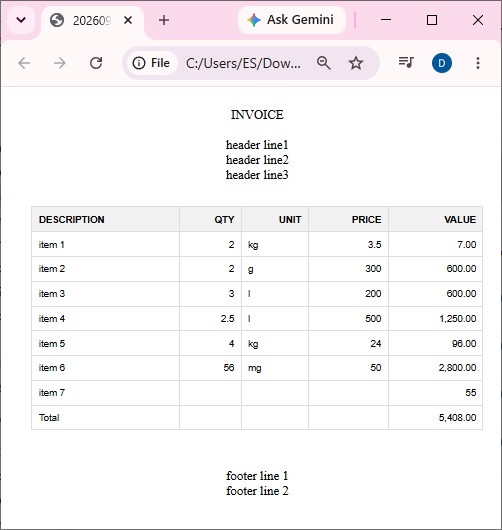 Easily Create, Store, Update, Share, and Print invoices in platform independent 'html' format. With this app, You can easily generate an accurate invoice, and use it flexibly for any purpose or in any device.
- Easy, key steps in generating a customized invoice
- Enter item description, quantity, price, and the value will be automatically generated. Or, you can just enter only the value.
- Press Next button to calculate total, and go to next stage.
- If you want to add shipping costs, make any deductions for discounts etc, you can enter these values appropriately with relevant '+' or '-' sign, and press next again, and the system will automatically calculate the total, with your adjustments.
- Add any invoice headlines, or footer text, if necessary, and press update buttons if you want to store the header and footer for subsequent invoices.
- Press 'Print/Save' button to save the invoice as an html, web page. The file will be saved in your downloads folder, and you can rename, move, or print the file as and when you want.
- Optionally, you can reload a previous invoice you generated in above manner, and edit it for another customer or sale, and save with a new name.